Step 2: Get Credentials
After completing the signup process:
- Log in using your registered email ID and password.
- Navigate to the “Credentials” page:
- Staging: https://staging.indiaconsent.com/credentials
- Production: https://www.indiaconsent.com/credentials
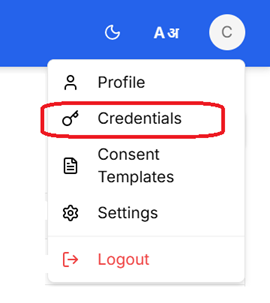
- Click the “Create Client” button.
- Provide a Client Name and submit.
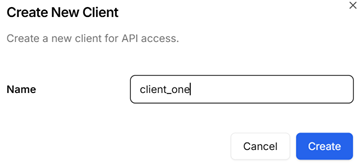
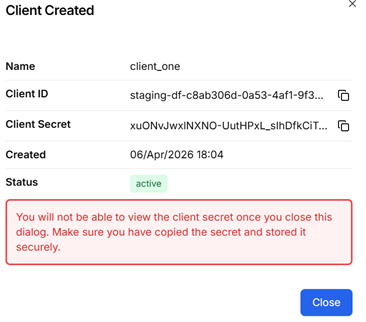
- Your Client ID and Client Secret will be generated.

Why Are Client Credentials Required?
Client Credentials are used for secure API authentication.
You will need:
- Client ID
- Client Secret
These credentials are required to:
- Generate an Access Token using the Token API.
- Use that Access Token to securely call:
- Consent Request API
- Consent Verify API
- Other protected APIs
In short:
Client Credentials → Generate Access Token → Call Consent APIs
All Consent Manager APIs are protected and require a valid access token in the Authorization header.
⚠️ Important Security Note
The Client Secret is displayed only once at the time of creation and cannot be retrieved again.
- Copy it immediately.
- Store it securely in a secrets manager or vault.
- Do not expose it in frontend or mobile applications.